mirror of
https://github.com/LiBwrt-op/openwrt-6.x.git
synced 2025-12-15 16:22:24 +00:00
This repository is a mirror of https://git.openwrt.org/openwrt/openwrt.git It is for reference only and is not active for check-ins. We will continue to accept Pull Requests here. They will be merged via staging trees then into openwrt.git.
|
|
||
|---|---|---|
| .devcontainer/ci-env | ||
| .vscode | ||
| config | ||
| include | ||
| LICENSES | ||
| package | ||
| scripts | ||
| target | ||
| toolchain | ||
| tools | ||
| .gitattributes | ||
| .gitignore | ||
| BSDmakefile | ||
| Config.in | ||
| COPYING | ||
| feeds.conf.default | ||
| Makefile | ||
| README-en.md | ||
| README.md | ||
| rules.mk | ||

适用于 IPQ 系列设备的 OpenWrt 源码仓库
📖 说明
该项目旨在为 Qualcomm IPQ 系列设备提供功能完善的 OpenWrt 系统。
在开源社区的共同努力下,本项目解决了以往 IPQ 系列设备在使用 OpenWrt 时,需放弃部分 NSS 功能或使用老旧内核的问题。我们特别融合了 JiaY-shi 和 qosmio 两位开发者的 NSS 支持代码,并采用 ImmortalWrt 的 LuCI 和 Packages 作为插件支持。
在此,向所有贡献者表示衷心的感谢!
🎯 设备支持概览
| Target | NSS 功能 | 2.4G WiFi (NSS Offload) | 5G WiFi (NSS Offload) |
|---|---|---|---|
| IPQ807X | ✅ | ✅ | ✅ |
| IPQ60XX | ✅ | ✅ | ✅ |
| IPQ50XX | ❌ | ❌ | ❌ |
✨ NSS 功能支持矩阵
| 功能 | IPQ807x | IPQ60xx | 功能 | IPQ807x | IPQ60xx |
|---|---|---|---|---|---|
| TUNIPIP6 | ✅ | ✅ | RMNET | 🟨¹ | ⛔² |
| PPPOE | ✅ | ✅ | MIRROR | ✅ | ✅ |
| L2TPV2 | ✅ | ✅ | WIFI (AP/STA) | ✅ | ✅ |
| BRIDGE | ✅ | ✅ | WIFI (WDS) | 🟨¹ | 🟨¹ |
| VLAN | ✅ | ✅ | WIFI (MESH) | 🟨¹ | 🟨¹ |
| MAP_T | ✅ | ✅ | WIFI (AP VLAN) | ⚠️⁴ | ⚠️⁴ |
| TUN6RD | ✅ | ✅ | IPSEC | ❌³ | ❌³ |
| GRE | ✅ | ✅ | PVXLAN | ❌³ | ❌³ |
| PPTP | ✅ | ✅ | CLMAP | ❌³ | ❌³ |
| IGS | ✅ | ✅ | TLS | ❌³ | ❌³ |
| VXLAN | ✅ | ✅ | CAPWAP | ❌³ | ❌³ |
| MATCH | ✅ | ✅ | DTLS | ❌³ | ❌³ |
💡 图例说明
- ¹ 🟨 需要 NSS 固件 11.4 版本 (
CONFIG_NSS_FIRMWARE_VERSION_11_4=y) - ² ⛔ 在该平台上不可用
- ³ ❌ 在 NSS 固件 (11.4–12.5) 版本中不可用
- ⁴ ⚠️ 在 ath11k 驱动程序中存在故障
📚 Wiki & FAQ
🚀 使用方法
云编译
您可以使用以下项目进行云端编译:
本地编译
⚠️ 注意事项
- 请勿使用
root用户进行编译!- 国内用户编译前建议开启网络代理。
- 编译环境要求:至少 4GB 内存和 25GB 可用磁盘空间。
- 默认配置:
- 登陆 IP:
192.168.1.1- 密码:
none
1. 系统环境准备
推荐使用 Ubuntu 22.04 LTS 或 Debian 11 系统。
2. 安装编译依赖
sudo apt update -y
sudo apt full-upgrade -y
sudo apt install -y ack antlr3 asciidoc autoconf automake autopoint binutils bison build-essential \
bzip2 ccache cmake cpio curl device-tree-compiler fastjar flex gawk gettext gcc-multilib g++-multilib \
git gperf haveged help2man intltool libc6-dev-i386 libelf-dev libglib2.0-dev libgmp3-dev libltdl-dev \
libmpc-dev libmpfr-dev libncurses5-dev libncursesw5-dev libreadline-dev libfuse-dev libssl-dev libtool lrzsz \
genisoimage msmtp nano ninja-build p7zip p7zip-full patch pkgconf python3 python3-pip libpython3-dev qemu-utils \
rsync scons squashfs-tools subversion swig texinfo uglifyjs upx-ucl unzip vim wget xmlto xxd zlib1g-dev
3. 下载源码与配置
# 克隆源码
git clone --depth 1 --single-branch https://github.com/LiBwrt-op/openwrt-6.x.git libwrt
cd libwrt

# 更新 feeds
./scripts/feeds update -a && ./scripts/feeds install -a

# 进入菜单配置
make menuconfig
4. 首次编译
# 下载依赖库 (多线程)
make download -j$(nproc)

# 开始编译 (建议使用单线程,方便排查错误)
make -j1 V=s
编译完成后,固件位于 bin/targets 目录下。
5. 二次编译
cd libwrt

# 拉取最新代码
git fetch && git reset --hard origin/k6.12-nss

# 更新 feeds
./scripts/feeds update -a && ./scripts/feeds install -a

# 加载默认配置并编译
make defconfig
make -j$(nproc) V=s
6. 重新配置
如果需要修改配置,请执行以下命令:
# 清除旧配置
rm -rf .config

# 进入菜单配置
make menuconfig

# 开始编译
make -j$(nproc) V=s
⭐ 支持项目
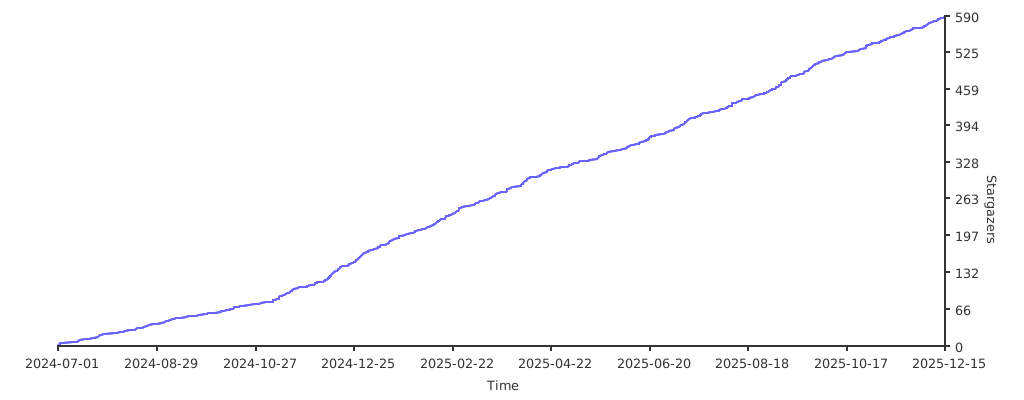
如果您喜欢这个项目,请在 GitHub 上点个 Star 支持一下!