6.4 KiB
OpenWrt Source Code Repository for IPQ Series Devices
⚠️English instructions file translated by Ai, may contain inaccuracies, welcome to raise issues
📖 Description
This project aims to provide a fully functional OpenWrt system for Qualcomm IPQ series devices.
Thanks to the efforts of the open-source community, this project resolves the issue where users of IPQ series devices had to sacrifice some NSS functionality or use older kernels when using OpenWrt. We have specifically integrated the NSS support code from developers JiaY-shi and qosmio, and we use LuCI and Packages from ImmortalWrt for plugin support.
We extend our heartfelt thanks to all contributors!
🎯 Device Support Overview
| Target | NSS Feature | 2.4G WiFi (NSS Offload) | 5G WiFi (NSS Offload) |
|---|---|---|---|
| IPQ807X | ✅ | ✅ | ✅ |
| IPQ60XX | ✅ | ✅ | ✅ |
| IPQ50XX | ❌ | ❌ | ❌ |
✨ NSS Feature Support Matrix
| Feature | IPQ807x | IPQ60xx | Feature | IPQ807x | IPQ60xx |
|---|---|---|---|---|---|
| TUNIPIP6 | ✅ | ✅ | RMNET | 🟨¹ | ⛔² |
| PPPOE | ✅ | ✅ | MIRROR | ✅ | ✅ |
| L2TPV2 | ✅ | ✅ | WIFI (AP/STA) | ✅ | ✅ |
| BRIDGE | ✅ | ✅ | WIFI (WDS) | 🟨¹ | 🟨¹ |
| VLAN | ✅ | ✅ | WIFI (MESH) | 🟨¹ | 🟨¹ |
| MAP_T | ✅ | ✅ | WIFI (AP VLAN) | ⚠️⁴ | ⚠️⁴ |
| TUN6RD | ✅ | ✅ | IPSEC | ❌³ | ❌³ |
| GRE | ✅ | ✅ | PVXLAN | ❌³ | ❌³ |
| PPTP | ✅ | ✅ | CLMAP | ❌³ | ❌³ |
| IGS | ✅ | ✅ | TLS | ❌³ | ❌³ |
| VXLAN | ✅ | ✅ | CAPWAP | ❌³ | ❌³ |
| MATCH | ✅ | ✅ | DTLS | ❌³ | ❌³ |
💡 Legend
- ¹ 🟨 Requires NSS firmware version 11.4 (
CONFIG_NSS_FIRMWARE_VERSION_11_4=y) - ² ⛔ Not available on this platform
- ³ ❌ Not available in NSS firmware versions (11.4–12.5)
- ⁴ ⚠️ Known issue in the ath11k driver
📚 Wiki & FAQ
- What is NSS?
- How does OpenWrt "offload" traffic?
- How is NSS different from OpenWrt's "offloading" options?
- Do I need NSS?
- Does my device support NSS?
- Important Note!
🚀 How to Use
Cloud Compilation
You can use the following projects for cloud compilation:
Local Compilation
⚠️ Important Notes
- Do not compile as the
rootuser!- It is recommended to use a proxy if you have slow or restricted network access.
- Build environment requirements: At least 4GB of RAM and 25GB of free disk space.
- Default configuration:
- Login IP:
192.168.1.1- Password:
none
1. System Environment Preparation
Ubuntu 22.04 LTS or Debian 11 is recommended.
2. Install Build Dependencies
sudo apt update -y
sudo apt full-upgrade -y
sudo apt install -y ack antlr3 asciidoc autoconf automake autopoint binutils bison build-essential \
bzip2 ccache cmake cpio curl device-tree-compiler fastjar flex gawk gettext gcc-multilib g++-multilib \
git gperf haveged help2man intltool libc6-dev-i386 libelf-dev libglib2.0-dev libgmp3-dev libltdl-dev \
libmpc-dev libmpfr-dev libncurses5-dev libncursesw5-dev libreadline-dev libfuse-dev libssl-dev libtool lrzsz \
genisoimage msmtp nano ninja-build p7zip p7zip-full patch pkgconf python3 python3-pip libpython3-dev qemu-utils \
rsync scons squashfs-tools subversion swig texinfo uglifyjs upx-ucl unzip vim wget xmlto xxd zlib1g-dev
3. Download Source Code and Configure
# Clone the source code
git clone --depth 1 --single-branch https://github.com/LiBwrt-op/openwrt-6.x.git libwrt
cd libwrt

# Update feeds
./scripts/feeds update -a && ./scripts/feeds install -a

# Enter the menu configuration
make menuconfig
4. First Compilation```bash
Download dependencies (multi-threaded)
make download -j$(nproc)
Start compilation (single-threaded is recommended for easier debugging)
make -j1 V=s
After compilation, the firmware will be in the `bin/targets` directory.

#### 5. Recompiling
```bash
cd libwrt

# Pull the latest code
git fetch && git reset --hard origin/k6.12-nss

# Update feeds
./scripts/feeds update -a && ./scripts/feeds install -a

# Load default configuration and compile
make defconfig
make -j$(nproc) V=s
6. Reconfiguring
If you need to change the configuration, run the following commands:
# Clear old configuration
rm -rf .config

# Enter the menu configuration
make menuconfig

# Start compilation
make -j$(nproc) V=s
⭐ Support This Project
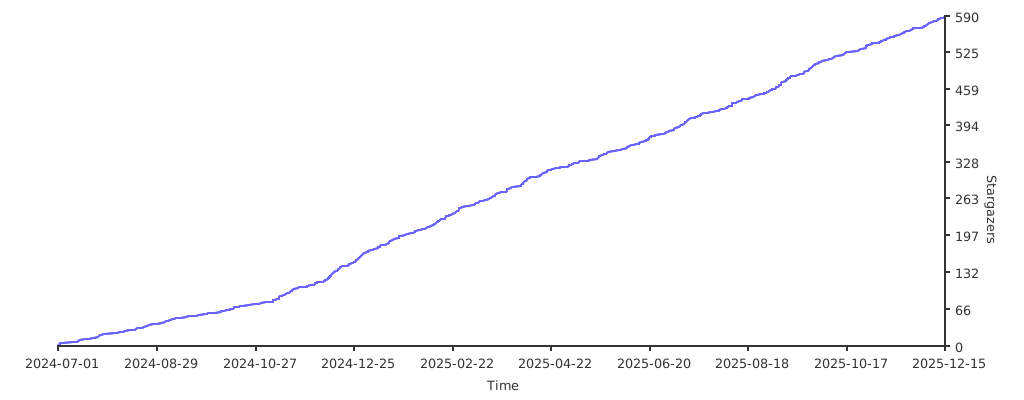
If you like this project, please give it a Star on GitHub to show your support!